Galway Bus for Android
2 January 2018
You may recall that, last year, I released a free iOS app for the Galway bus network, creatively named Galway Bus Abú.
I'm no Android developer — never have been — so, in lieu of a build for you maroon-totin' droid-heads, I'd built an admittedly half-assed web app.
Thankfully, John O'Reilly got in touch a while back to let me know that he was working on a native Android version. He shipped it late last year, and it's really, really good! You can download it from Google Play for free right now.
Moving, again.
20 December 2017
2017 has been an unusually busy year. Aside from changing jobs, I've published three new apps for iOS:
What's Up?
9 November 2015
It occurs to me that I completely neglected to write a post about the Apple TV app I wrote last year, called Telescope.
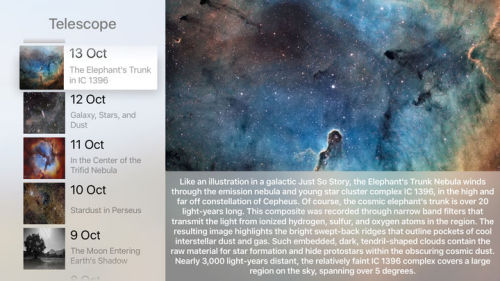
The app connects to the NASA Astronomy Picture of the Day API to download beautiful high-res space images and videos, for display on your Apple TV.
It was a fun little app to get started learning about Apple TV development, as well as my first attempt at publishing a fully-Swift app.
Telescope is available for purchase now on the Apple TV App Store.
Hearty - Heart Rate Sync for RunKeeper
28 July 2015
https://itunes.apple.com/app/apple-store/id1014596819?pt=14149&ct=vc&mt=8
I mentioned this briefly in my Apple Watch mini-review. I finally got around to finishing it this weekend.
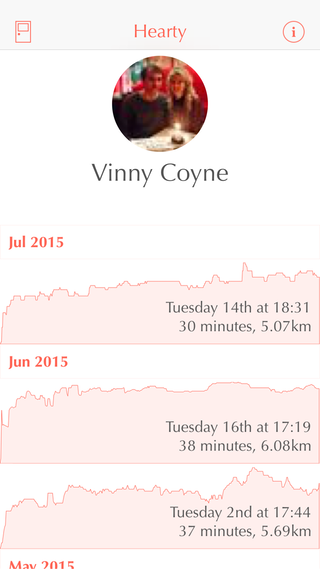
Hearty is an iOS app that lets you sync your Apple Watch / Health.app heart rate with RunKeeper.
Hearty is available for FREE on the App Store. Get it now!
A Watch, Water and Workouts
15 July 2015
https://furbo.org/2015/07/14/a-watch-water-and-workouts/
Some great suggestions on how Apple can improve the Workout app on the Apple Watch. Radars filed.
Beats One Schedule with Safari Notifications
7 July 2015
https://beatsmeapp.herokuapp.com
This weekend, I built a little web app that notifies you when a particular Beats One show is about to start. Only works on Mac running Safari.
It's called BeatsMe and it's available here: https://beatsmeapp.herokuapp.com/
Apple Watch
15 June 2015
I've had an Apple Watch for a few weeks now. It's a funny little device. Its utility and wow-factor aren't immediately apparent, and my first reaction after booting it up for the first time was "Okay, that's cool. Now what?" There's no flashy demos or life-changing features, but it slowly worms its way into your routine as an alternative means of interacting with your iPhone*.
Stuff 'n' Junk, 2014 edition
11 January 2015
Fashionably, late, as usual, but at least this year I have an excuse. More on that later…
Barack Obama, GAME GOLF User!
14 August 2014
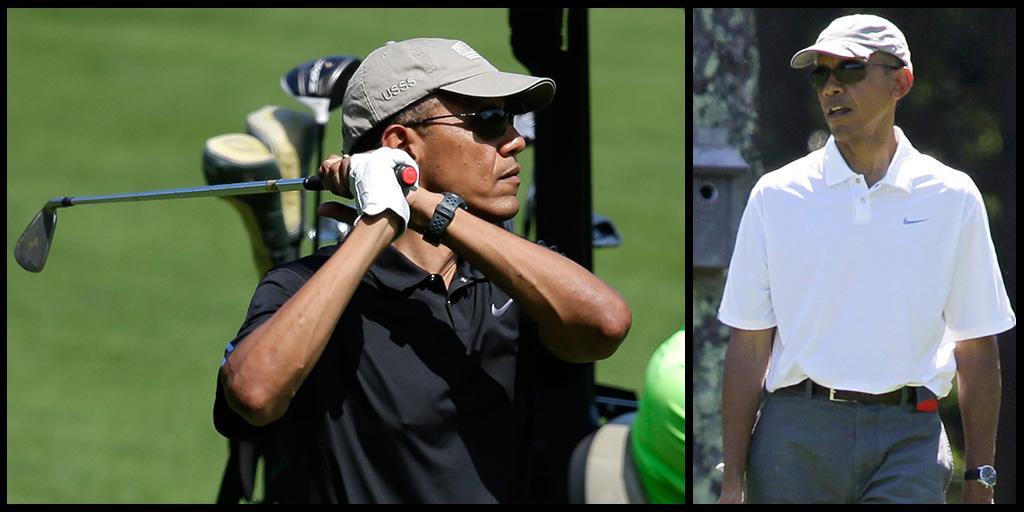
We found out last night that Barack Obama uses our GAME GOLF device. GolfWRX has a few more pics and info, and the Irish Times has a nice follow-up piece about the company.
Motion Blur on iOS 8
25 July 2014
https://github.com/fastred/MotionBlur
MotionBlur allows you to add motion blur effect to iOS animations.
Pretty slick implementation of a motion blur effect for use with your iOS animations.
And here's the science behind it, if you're so inclined.
 |
|
 | © 2025 Vinny Coyne